
Logo for Print: Prepare Your Logo for Business Cards & Signage
A logo for print needs to remain clear, recognisable and suitable for the material and size of the finished product. A logo that looks excellent on a website may still need the correct file format, colour setup and sizing before it is used on business cards, flyers, posters or signage.
Preparing your logo properly before sending artwork to print can help avoid blurry edges, incorrect colours, missing fonts and other production problems. The goal is not simply to make a logo look good on screen, but to make sure the same brand identity works consistently across different printed applications.
What Makes a Logo Suitable for Print?
A print-ready logo should be supplied in a format that allows it to reproduce cleanly at the required size. Vector artwork is particularly useful because vector graphics are based on shapes, lines and curves rather than a fixed grid of pixels. This allows them to be scaled without the loss of clarity associated with enlarging raster images.
Common vector formats include:
- AI — Adobe Illustrator artwork
- EPS — traditionally used for professional print workflows
- PDF — widely used for sharing and print production
- SVG — scalable vector graphics, particularly common for digital applications
Adobe identifies AI, EPS, PDF and SVG as common vector formats, while noting that SVG is primarily designed for web graphics.
The exact format required can depend on the printer, design software and production process. Therefore, it is sensible to check the printer’s artwork requirements before exporting the final file.
Why Use a Vector Logo for Printed Materials?
A vector logo can be resized for different applications without becoming pixelated. This is important because a business may use the same logo at very different physical sizes.
For example, your logo might appear on:
- A small business card
- An A5 flyer
- A folded leaflet
- A brochure
- A poster
- A shop sign
- A large-format display
The artwork needs to remain visually clean across these applications.
A JPG or PNG may be perfectly suitable for certain digital uses, but a low-resolution raster image can become visibly pixelated when enlarged. Vector artwork avoids this particular scaling problem because it is resolution independent.
Keep an Editable Master File
It is useful to retain the original editable logo artwork rather than keeping only an exported image.
For example, an editable master may allow a designer to create:
- Full-colour artwork
- Black artwork
- White or reversed artwork
- Horizontal and vertical variations
- Different versions for light and dark backgrounds
Adobe recommends retaining an editable native Illustrator file while artwork is being developed before exporting it into formats needed for other workflows.
How to Prepare a Logo for Business Cards
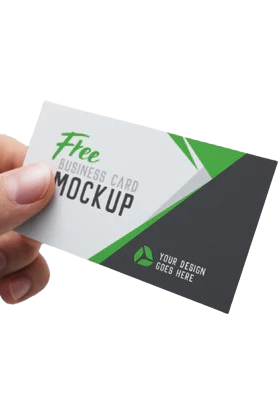
Business cards provide relatively limited space, so a logo needs to remain recognisable when reproduced at a small physical size.
Before placing your logo into a business card design, check:
1. Logo size
Make sure the logo is large enough to remain readable but does not dominate the card unnecessarily.
Very detailed logos, small text or extremely thin elements can become difficult to reproduce clearly at small sizes.
2. Clear space
Leave enough space around the logo so that surrounding text and graphic elements do not make it appear crowded.
Clear space is especially important when combining the logo with:
- Telephone numbers
- Email addresses
- Website addresses
- Social media details
- Taglines
3. Colour
Consider how the logo will work against the chosen card background. A full-colour logo may need an alternative version for a dark or coloured background.
4. Print specification
The complete business card artwork should follow the printer’s specifications for dimensions, bleed, colour and file preparation.
Your logo itself should remain clean and appropriately positioned within the finished design.
How to Prepare a Logo for Flyers and Leaflets
Flyers usually contain more information than business cards, so the logo needs to work as part of a wider visual hierarchy.
A common mistake is making the logo unnecessarily large simply because it is the main brand element.
Instead, consider:
- Where the reader first looks
- How much space the headline needs
- Whether the logo is clearly visible
- Whether contact information is easy to find
- Whether the logo competes with the main offer or message
For example, a promotional flyer might use the logo near the top while allowing the headline and offer to receive greater visual emphasis.
The same principle applies to folded leaflets and brochures. The logo should remain consistent while its placement can change according to the layout.
How to Prepare a Logo for Signage
Signage creates a different requirement because the physical size can be substantially larger than ordinary stationery.
A vector logo is particularly useful for applications where the same artwork may need to be reproduced at significantly different sizes. Vector artwork can be scaled without the pixelation associated with enlarging a raster image.
However, simply having a vector file does not mean every signage design is automatically ready for production.
The final artwork may also need to account for:
- Sign dimensions
- Background colour
- Viewing distance
- Material
- Installation position
- Production method
- Any printer or sign-maker specifications
For large-format work, always confirm the production requirements before supplying the final artwork.
Which Logo File Is Best for Printing?
There is no single file format that is automatically correct for every printing workflow.
For many professional workflows, vector formats such as PDF, EPS and AI can be useful because they preserve scalable artwork. Adobe describes EPS as a vector format traditionally used for professional and high-quality commercial printing, while PDF can be used to create and share print-ready artwork.
SVG is also a vector format and is particularly common for digital use.
A practical logo file package may therefore contain:
- Editable AI master file
- Print-ready PDF
- EPS where required
- SVG for digital applications
- High-resolution PNG for suitable digital uses
The important point is to provide the format requested by the production supplier rather than assuming that one extension works for every job.
Logo for Print Checklist
Before sending a logo into a print project, use this checklist:
Logo file
- Use vector artwork where appropriate.
- Keep the original editable master file.
- Confirm the required format with the printer.
Colour
- Check the colour requirements for the specific print process.
- Prepare suitable versions for light and dark backgrounds.
- Do not assume that colours displayed on a monitor will reproduce identically in print.
Size
- Test the logo at the intended physical size.
- Check small details and text remain readable.
- Avoid unnecessary distortion when resizing.
Layout
- Maintain appropriate clear space.
- Keep the logo visually consistent.
- Check its position within the final design.
Production
- Check bleed and artwork requirements.
- Confirm the finished dimensions.
- Request a proof or sample when appropriate for the project.
Keeping Your Brand Consistent Across Print
A logo should remain recognisable whether it appears on a business card, flyer or sign.
Consistency does not necessarily mean placing the logo in exactly the same position on every item. Instead, maintain the core elements of the identity while adapting the layout to the purpose and physical format of each printed product.
For example, a business card may require a compact logo arrangement, while a shop sign may require a larger horizontal version. A flyer may need the logo positioned around a headline and promotional message.
The logo itself should remain consistent even when the surrounding design changes.
Final Thoughts
Preparing a logo for print is about more than exporting an image and placing it into a design. The file format, scalability, colour requirements, physical size and final application all need to be considered.
A well-prepared vector logo gives you greater flexibility across business cards, flyers, leaflets, posters and signage. However, the final artwork should always be checked against the specific requirements of the printing or signage process.
If you are preparing branded print materials, keeping organised logo files and checking production specifications before printing can make the process much smoother.
Frequently Asked Questions
What logo file is best for printing?
There is no universal format for every printing process. Vector formats such as PDF, EPS and AI are commonly useful for professional print workflows because they can preserve scalable artwork. The printer’s specific file requirements should always be checked before submitting the final artwork.
Is a vector logo better for print?
A vector logo is often useful for print because it can be scaled without the pixelation associated with enlarging a raster image. This makes vector artwork suitable for applications ranging from small printed materials to larger signage.
Can I use a PNG logo for printing?
A PNG can be suitable for some print applications when it has sufficient resolution and meets the printer’s requirements. However, a low-resolution PNG should not simply be enlarged for a large print job. Where possible, keeping the original vector logo provides greater flexibility.
How should a logo be used across print?
Keep the core logo design, proportions and brand identity consistent while adapting its size and placement to each product. A business card, flyer and sign may use different layouts because their physical dimensions and purposes are different.
Should I keep different versions of my logo?
Yes. It can be useful to keep an editable master alongside suitable print and digital exports. Depending on the brand, separate colour, black, white or reversed versions may also be useful for different backgrounds and production applications.
Should I check the logo at actual print size?
Yes. Checking the artwork at its intended physical size can help identify small text, fine details or spacing issues before production. A logo that looks clear when enlarged on a computer screen may behave differently when reproduced at a small physical size.
Does signage require a different logo file?
The same vector logo can often be adapted for signage, but the final artwork may need to follow the sign manufacturer’s requirements for dimensions, material, production method and installation. Always check those specifications before preparing the final file.